Marc O’Polo store with shop window and brand lettering

Marc O'Polo – RFID Packing App

Custom SAP Fiori packing app

Marc O'Polo is a leading premium fashion brand with its origins in Stockholm and more than half a century of growth and success. The company's history began in 1967; within just a decade, Marc O'Polo stores were spreading around the world. With creative, high-quality products, Marc O'Polo has established a successful position in the premium casual segment and continues to develop actively both nationally and internationally. The company has more than 2,000 brand stores, and its collections are available in over 41 countries.

2min

Project
SAP EWM implementation
Solution
Custom SAP Fiori packing app

The company

  • Headquarters: Stephanskirchen, Bavaria
  • Founded: 1967
  • Founders: Rolf Lind, Göte Huss and Jerry O'Sheets
  • Stores and retail partners: more than 2,000
  • Industry: Clothing and fashion
  • Values: Sustainability, innovation, quality

Entrance of the Marc O’Polo headquarters with brand lettering on a wooden facade

Initial situation

  • Outdated Windows application
  • Article counting by RFID detection via RFID antennas
  • The interface shows a lot of information, some of it unrelated to the process
  • The interface requires many unnecessary actions (e.g. manually starting and stopping the RFID antennas)

Challenge

  • Design a highly intuitive interface that shows only relevant information
  • Guide users through the app in the best possible way
  • Integrate a third-party RFID server without any loss of performance

Solution

  • An SAP Fiori app that is intuitive to understand thanks to a simple layout, reduced information and concise, specially designed graphics
  • Connection of the third-party RFID server for RFID article detection via the SAP Private Cloud system
  • A backend in the SAP Private Cloud that decouples the Fiori app from the specific RFID server, so that the RFID server can be replaced in future

Process

  1. Log on at the workstation
  2. Scan the handling unit
  3. Repack
  4. Quantity check
  5. Select the shipping carton
  6. Attach labels to the shipping carton
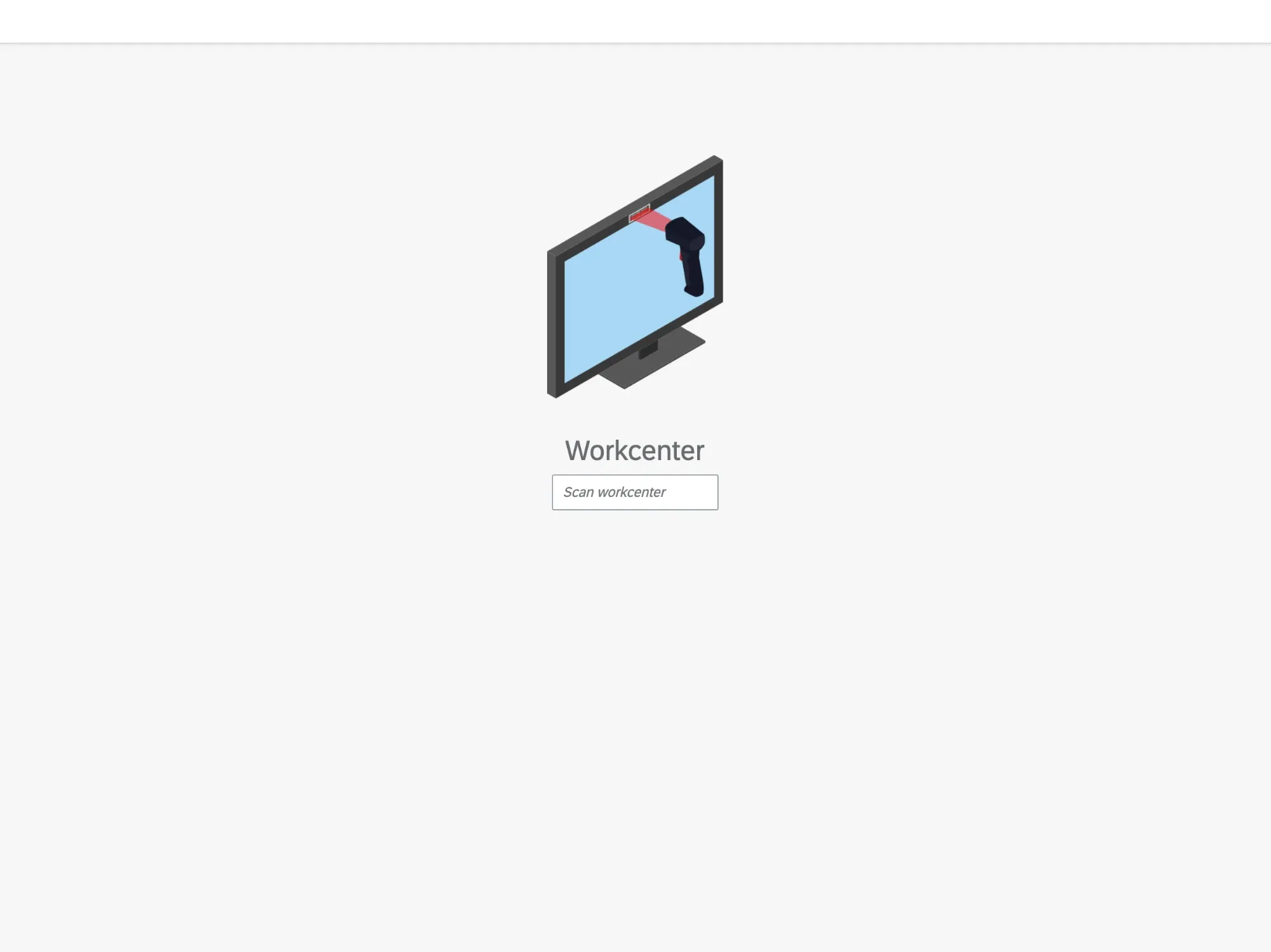
App screen: scan the workstation
1. Log on at the workstation
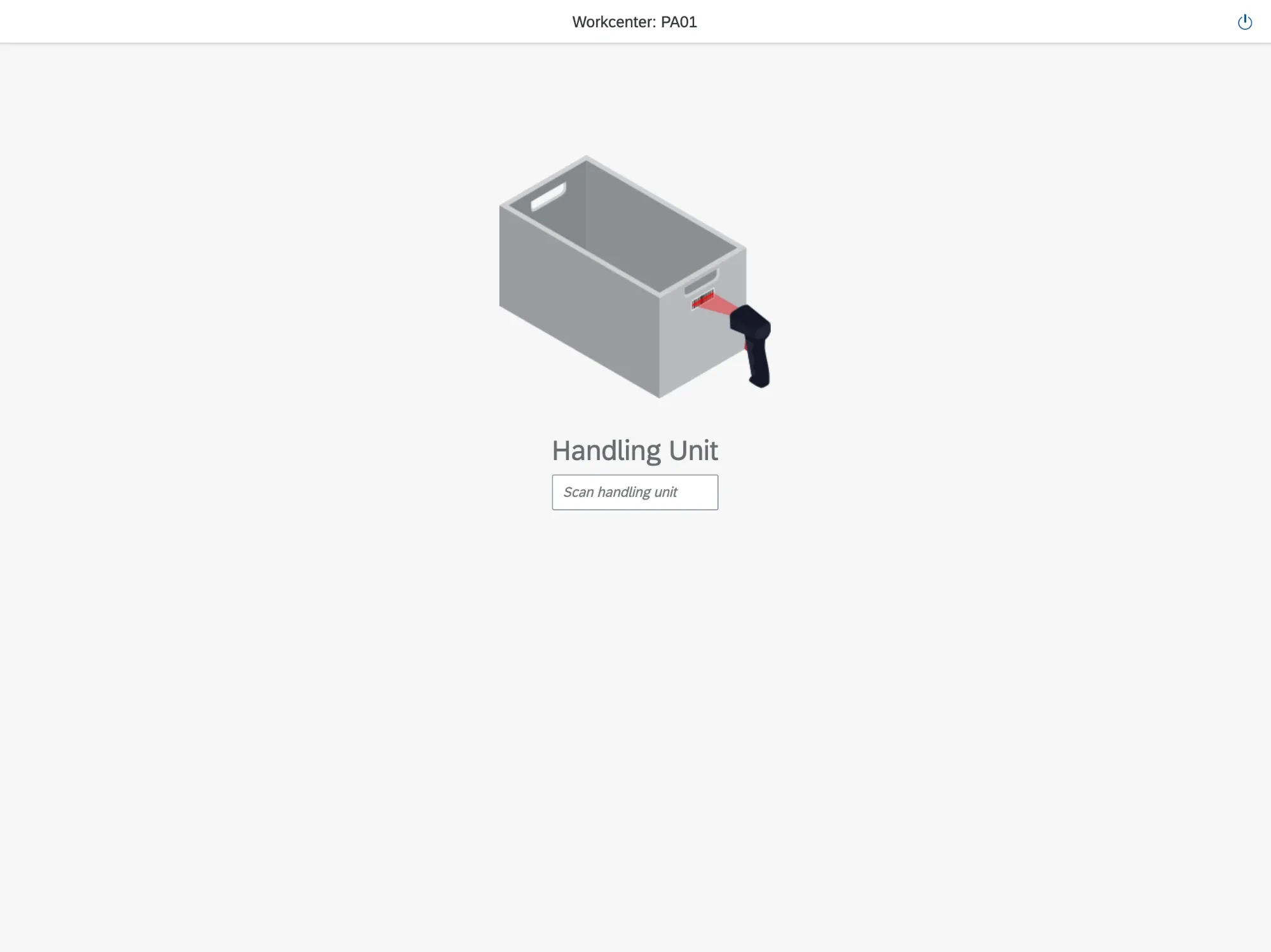
App screen: scan the handling unit
2. Scan the handling unit
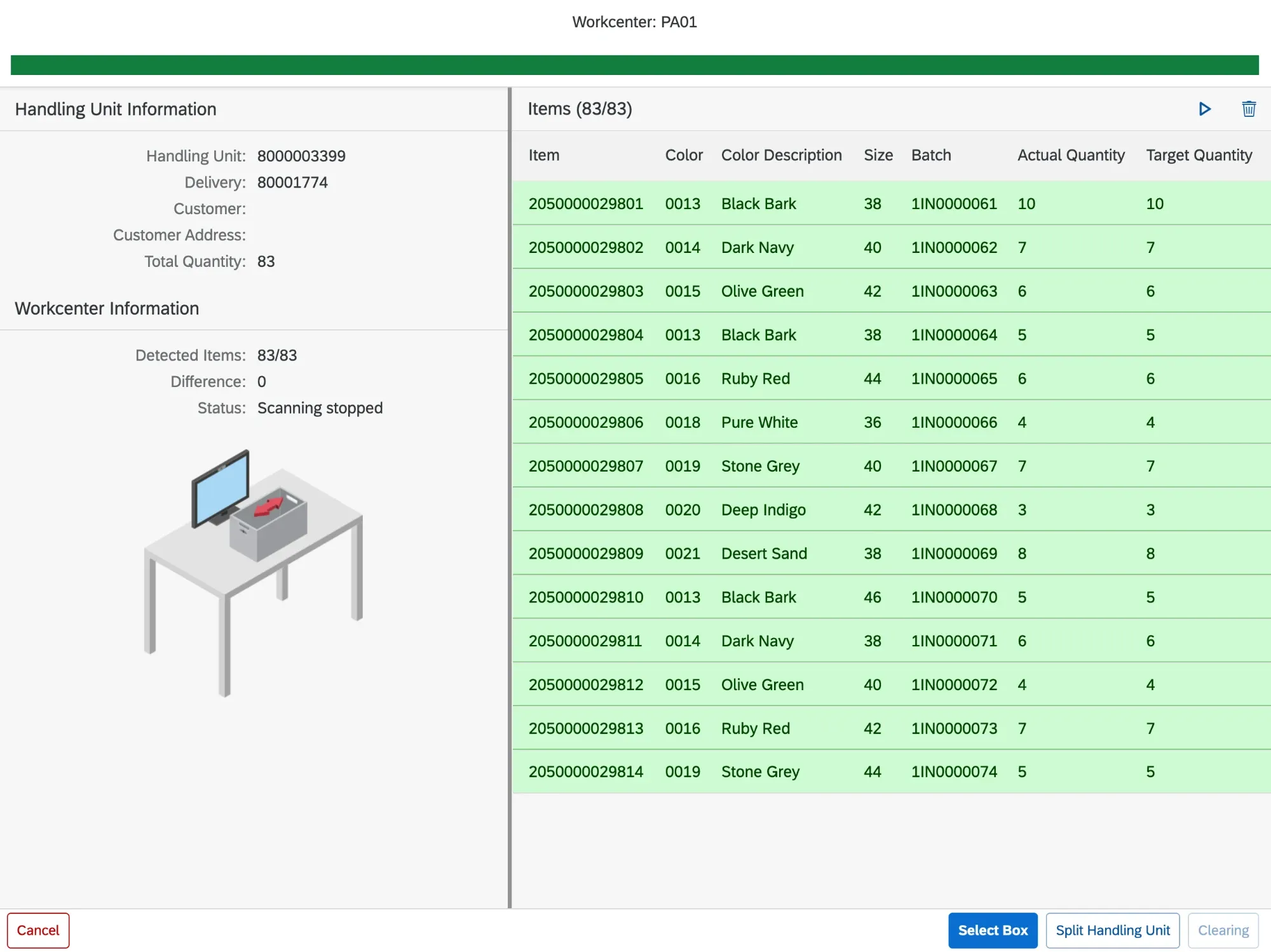
App screen: list of the articles detected via RFID with target and actual quantity
3. Repack and 4. Quantity check
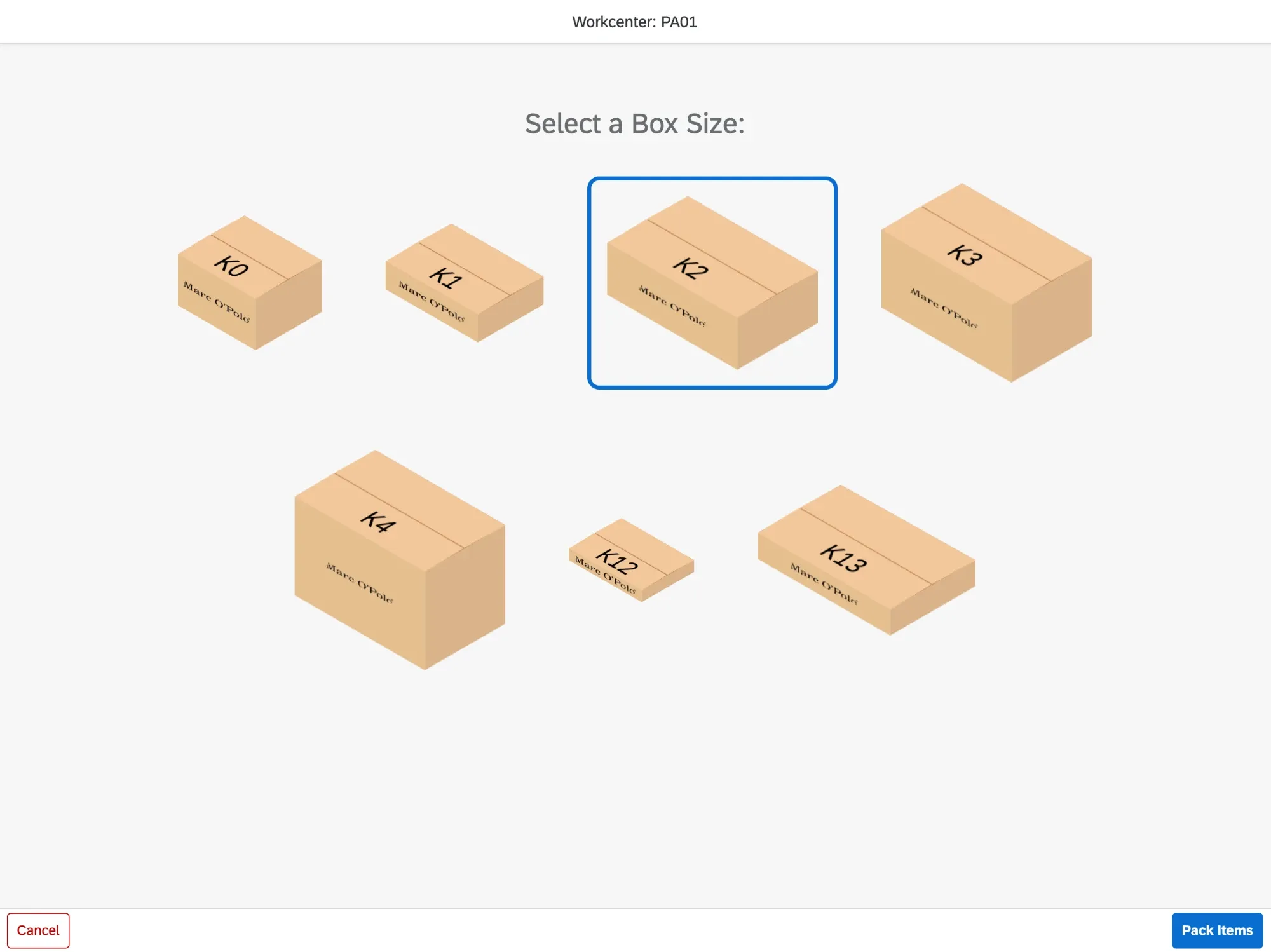
App screen: selection of the shipping carton size
5. Select the shipping carton
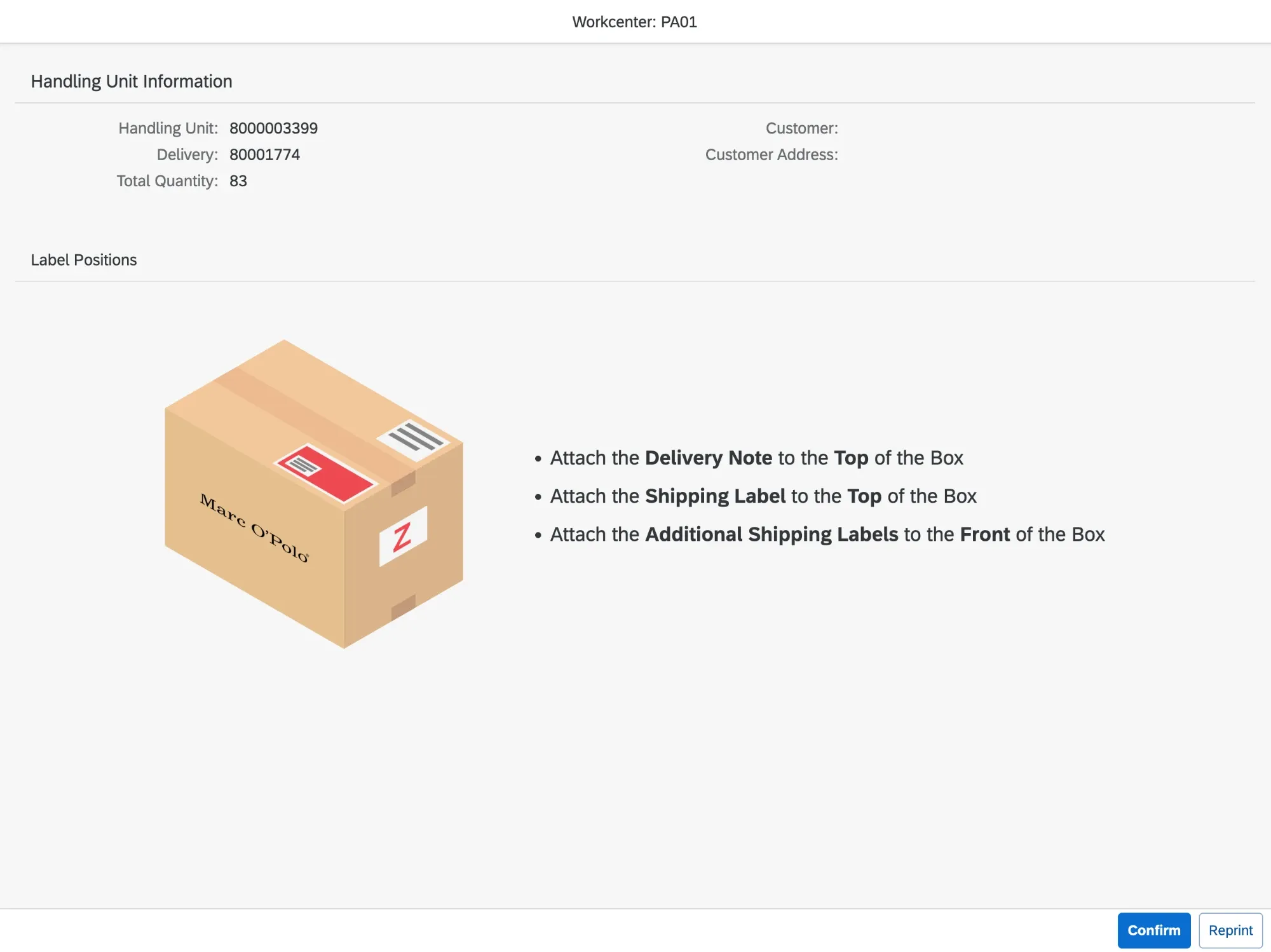
App screen: instructions showing where the delivery note and shipping labels are attached to the carton
6. Attach labels to the shipping carton

Architecture

Architecture: SAP Fiori app, SAP Private Cloud, RFID server with antenna and Speedorder

RFID article detection

  1. The SAP Fiori app requests the articles from the SAP Private Cloud.
  2. The SAP Private Cloud requests the articles from the RFID server.
  3. The RFID server reads the articles via the RFID antenna.
  4. As soon as the RFID server has received the articles, it forwards them to the SAP Private Cloud.
  5. The SAP Private Cloud forwards the articles to the SAP Fiori app, which displays the detected articles.

Label printing and delivery registration

  1. The SAP Fiori app requests label printing and delivery registration from the SAP Private Cloud.
  2. The SAP Private Cloud requests label printing and delivery registration from Speedorder.
  3. The SAP Private Cloud reports the successful label printing and delivery registration to the SAP Fiori app.
  4. The SAP Fiori app informs the user of the successful completion.

More references